Background
*NB: For details on how to update follow the documentation included in each download file.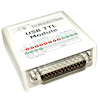
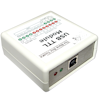
Technical support for the BBTK USB TTL event marking module
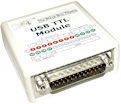 Before using the USB TTL Module for event marking you should use the configuration software to carry out USB TTL latency validation/TTL trigger checks. These checks help determine how quickly the Module can event mark from your particular PC over USB.
Note: It has been brought to our attention that several customers have encountered a "Device not recognized" or similar error when first installing the USB TTL Module or during later use.
On some laptops/PCs this has been caused by:
- Them not being able to supply enough power via their USB ports
- USB ports being overloaded, i.e. too many USB devices plugged in and drawing too much power
- Use of unpowered hubs
- USB cables that are longer than recommended, i.e. longer than 3m - 5m
- Low quality USB cables
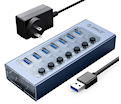 To isolate the issue the first course of action is to remove all non-essential devices from your USB subsystem and then plug the USB TTL Module directly into a motherboard socket and retry.
If you continue to experience issues you are advised to use a mains powered USB hub, i.e. a high quality hub which comes with its own mains power supply.
Remember to recheck your output latency using the Auto Test button in our configuration utility App to ensure that using a powered USB hub has not adversely impacted your timings.
For more information on USB leads and length of certified cables you should read this technote from Anker.
Remember to recheck your output latency using the Auto Test button in our configuration utility App to ensure that using a powered USB hub has not adversely impacted your timings.
For more information on USB leads and length of certified cables you should read this technote from Anker.
USB TTL event marking module configuration utility (Windows only)
Download configuration utility & FTDI VCP drivers (released 20150708/RC1):- Checks for correct configuration of the USB TTL module
- Carries out automatic latency validation checks for your PC when using the USB TTL module
- Enables you to quickly an easily produce TTL event marks/TTL triggers for testing
- Fixes "Integer conversion error" that may occur in some languages when running the USB TTL event marking module configuration utility. Uninstall your current version and reinstall this updated USB TTL event marking module configuration utility. Drivers do not need to be reinstalled.
An alternative fix is to set the "Decimal symbol" to "." in Regional Settings in the Windows Control Panel or switch to "US English format".
- Includes updated FTDI VCP Drivers
- Updated USB TTL event marking module configuration utility manual
Background
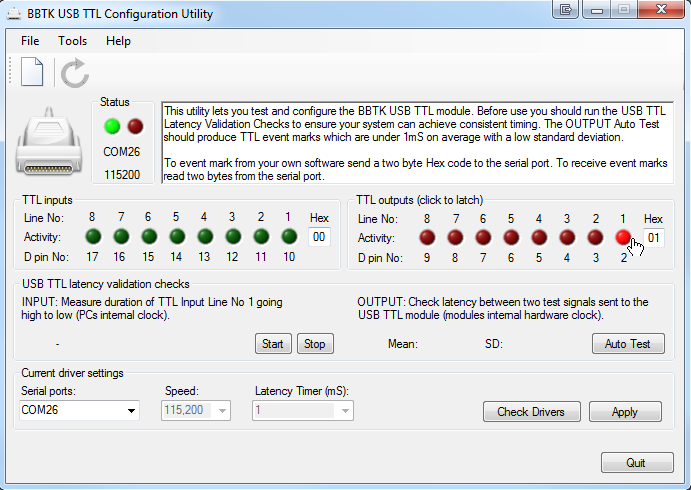
The USB TTL event marking module configuration utility lets you check both TTL Input and Output. In this example Output Line 1 has been sent high with a hex Output Port value of 01 and the appropriate red LED has illuminated (D pin 2). In addition the red output LED on the Module itself will also illuminate.To send a given TTL Output Line high (+5V) click on it. To send it low (0V) click on it again so that the LED is not illuminated. Two byte hex Output values can range from 00~FF (hex), 0~255 (dec), 00000000~11111111 (bin) to represent the status of each Output Line on the Output Port.
Full step-by-step instructions are provided within the configuration utility. Depending on your antivirus package you may need to disable it while configuring your response device.
This configuration utility only works on Microsoft Windows platforms.
USB TTL event marking module drivers
The USB TTL module uses a Future Technology Devices International FT232R interface chip which must have drivers installed and configured correctly for it to operate. This is detailed in the USB TTL event marking module configuration utility manual. Drivers are included with the configuration utility, but if you wish you can download them directly from the FTDI website.
Documentation
View RC2 (released 20151101)
View RC3 (released 20210330)
View RC5 (released 20250909)